



SFS2X Docs / AdvancedTopics / custom-http-headers
Since 2.20.5
» Custom HTTP Headers
Starting from release 2.20.5 we have added the ability to specify a list of custom HTTP header names that are extracted at login time from the client's connection request. These values are stored in the Session object which allows any Extension to consult them at a later time. The feature works only for Websocket or BlueBox connections.
In order to specify which headers should be extracted go to the AdminTool > Server Settings > Web Server
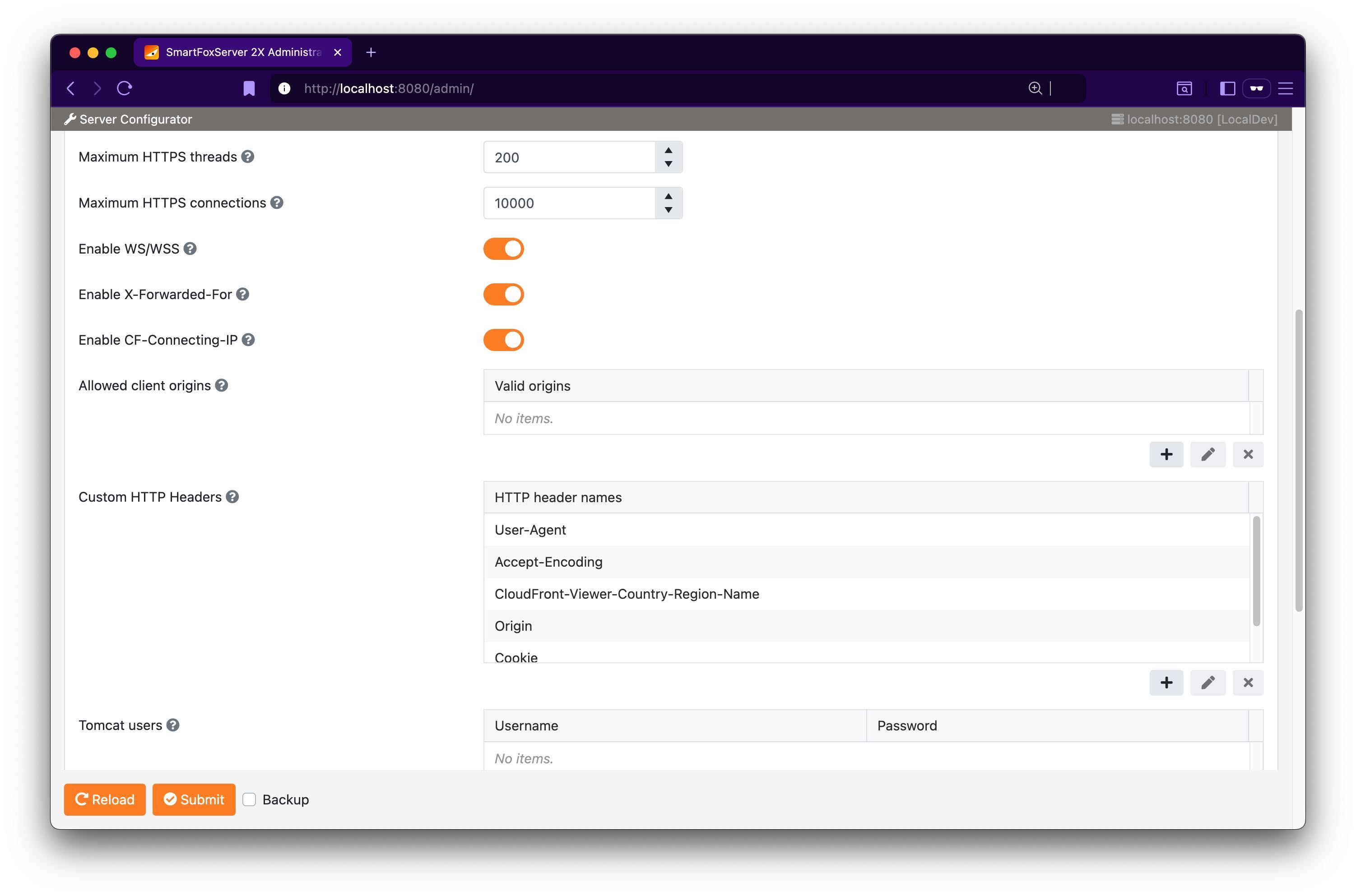
You can populate the Custom HTTP Headers table with the required header fields to be extracted and access them at runtime as exemplified in the code below:
public class MyHttpTestExtension extends SFSExtension
{
	@Override
	public void init()
	{
		// ...
		addEventHandler(SFSEventType.USER_JOIN_ZONE, this::onJoinZone);
	}

	private void onJoinZone(ISFSEvent event)
	{
		var user = (User) event.getParameter(SFSEventParam.USER);
		var headers = (Map<String,String>) user.getSession().getSystemProperty(SFSConstants.SESSION_HTTP_HEADERS);

		if (headers != null)
		{
			// Access header params as Map<String, String>
			String agent = headers.get("User-Agent");

			if (agent != null)
			{
				// etc...
			}
		}
	}
}